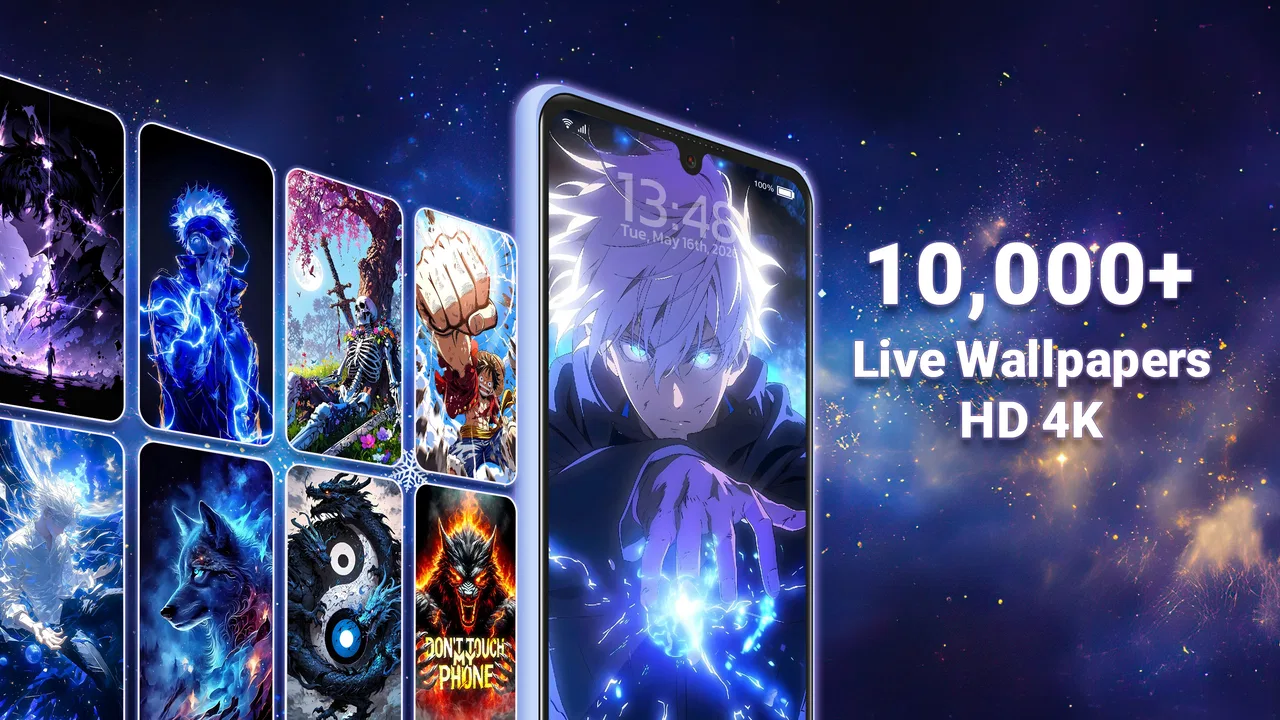
Live Wallpapers HD 4K
- 4.3
- Rating
- 10.00M
- Installs
- Free
- Price

 Analysis by App-foxy
I spent time with Live Wallpapers HD 4K as a personalization app, focusing less on the impressive-looking previews and more on what it feels like to use every day. The idea is straightforward: give your phone a more animated look through live wallpapers, still backgrounds, and AI-art-style visuals. That makes it appealing if a standard image feels too plain, but it also raises practical questions about speed, battery comfort, storage, and whether the extra motion is worth the trade-off.
My overall impression is that this is best treated as a visual customization tool rather than something you leave open for long sessions. The main experience happens after choosing a background and applying it, so the important test is how comfortably it fits into normal phone use. I found the strongest value in the quick change of mood it can bring to a familiar device: a calmer image for work, something brighter for a weekend, or a more dramatic animated background when I want the lock screen to feel less ordinary.
How the app feels during everyday use
The developer is listed as Wallpaper app, and the app sits in the Personalization category. It is free to install, with optional purchases ranging from $0.99 to $49.99 per item. That pricing detail matters because the free starting point makes it easy to explore, while the presence of purchases means I would avoid assuming that every attractive visual is included without charge. I would browse first, decide whether the available free selection is enough, and only then consider paying for a particular style.
You May Also Like

 Pandora - Music & Podcasts
Pandora’s Music Is Easy to Start, but Harder to Recover
Pandora’s strength is its low-effort path from a seed to a station. Its weak spot is how much confidence it asks you to place in connection, setup, and quiet recovery.

 8 Ball Pool
 Is Built on Rivalries, Rematches, and Routine
A close look at the rivalries, rematches, shared routines, and unanswered safety questions that turn a quick pool match into a persistent mobile community.

 Samsung Music
’s Quiet Strength Is Playing What You Already Own
Its reach comes less from spectacle than from dependable access to a personal library. That simplicity is both the app’s strongest retention engine and its ceiling.

 AccuWeather: Weather Radar
AccuWeather Review: A Quick, Clear Forecast for Everyday Decisions
For everyday plans, the best forecast is the one you can understand quickly. AccuWeather makes rain timing, radar, and local conditions easy to act on, with a few trade-offs.

 Hill Climb Racing
Why Hill Climb Racing Still Turns Crashes Into One More Run
A tiny car, a bumpy hill and one more upgrade: Hill Climb Racing keeps resurfacing because its simple chaos makes every near-miss feel personal.

 AliExpress - Shopping App
AliExpress Makes Global Shopping Feel Personal, but Shoppers Bear the Risk
AliExpress turns a global marketplace into a pocket-sized discovery engine. Its reach is useful, its shopping loop compelling, and its trade-offs easy to miss.
More From Our News Desk
View All News


The app has a 4.3 average from around 185 thousand ratings, along with roughly 4.9 thousand written reviews. It has also passed 10 million installs, which tells me that it is not an obscure experiment with no established audience. Those figures do not guarantee that it will behave identically on every phone, but they do make it easier to approach as a mature wallpaper option rather than a newly launched utility.
When I think about speed here, I separate two things. Browsing and selecting a background should feel like a short decision-making task, while the live wallpaper itself is something the phone handles after the choice is made. A visually rich preview may take more effort from a device than a plain static image, especially on older hardware. I would not judge the whole app by the first moment a large preview appears, but I would pay attention to whether scrolling feels comfortable and whether applying a background requires repeated attempts.
The practical workflow I recommend is simple: open the app when the phone is not busy, preview a few candidates, and apply one before making a large collection of changes. This avoids turning customization into a long background task. It also gives you a better sense of whether your particular device remains responsive with the style you like. A dark, restrained animated design may be a more comfortable daily choice than a highly active scene, even if both look equally attractive in the preview.
What happens when the phone is under heavier use
The demanding moments are likely to come from the visual content itself rather than from the basic act of changing a wallpaper. A live background has to keep presenting motion while the phone is being used for other things. That makes the choice of wallpaper more important than it first appears. A simple animation can add personality without constantly competing with icons and text, while an intense design can make the home screen feel busy and may be less comfortable when you are already switching between several apps.
I would be especially selective if I were using the phone for navigation, video calls, gaming, or long reading sessions. In those situations, the wallpaper is not the main activity, so any extra visual movement is merely decoration. I would choose a static background or a subtle live option before starting those tasks. This is one of the less obvious strengths of having both live wallpapers and ordinary backgrounds in the same app: you can keep the creative variety without committing to motion all the time.
Another useful routine is to treat the home screen and lock screen differently when the phone allows that choice. A moving design can be enjoyable in short glances on the lock screen, but it may become distracting behind app icons. Conversely, a still image with a clear central area can make the home screen easier to read. The best result is not necessarily the most detailed image; it is the one that leaves enough visual breathing room for the information you actually need.
AI-art-style imagery also benefits from a little restraint. Unusual compositions can look excellent in a preview but become awkward once cropped to a phone’s proportions. I would check where the main subject sits before applying anything. Faces, bright objects, and text-like details near the edges can be cut off or hidden by interface elements. Choosing a visually balanced image is a more reliable way to get a polished result than simply selecting the most dramatic thumbnail.
Stability and what to do when a change does not go smoothly
For a wallpaper app, reliability is not only about whether it opens. It is also about whether the selected image remains usable after leaving the app, restarting the phone, or switching between screens. I would give the app a fair test by applying one background, returning to the home screen, locking the device, and checking the result again later. That small routine catches the problems that a quick preview cannot reveal.
If a live wallpaper does not appear immediately, my first response would be to wait briefly rather than repeatedly tapping the apply control. Repeated attempts can make it harder to tell whether the issue is a delayed transition or a failed application. If the result still looks wrong, I would switch temporarily to a static background, close the app, and try again after the phone has settled. This recovery path is useful because it restores a usable screen without requiring a complete commitment to the animated option.
I also prefer changing one setting or one wallpaper at a time. If I apply several designs in quick succession, it becomes difficult to identify which choice caused a problem. A controlled workflow is especially helpful on a phone with limited free space or modest hardware, where loading multiple large previews may feel less comfortable. The app is more enjoyable when treated as a small customization session instead of an endless feed to race through.
The app’s Teen content rating is another reason I would use ordinary judgment when choosing visuals for a shared phone or a device used by younger family members. The rating gives a general indication of the intended audience, but it does not replace looking at the actual artwork before setting it. I would preview anything destined for a child’s device or a workplace phone rather than assuming that every category will suit every setting.
Older phones, newer phones, and sensible expectations
The minimum operating-system requirement is Android 8.0. That keeps the app accessible to a wide range of Android devices, but compatibility is not the same as identical performance. A phone that meets the software requirement may still have less memory, a slower processor, or a smaller display than a newer model. On an older device, I would begin with static backgrounds and lighter-looking live designs, then move upward only if the phone remains comfortable to use.
On a newer phone, the appeal is easier to appreciate because the device is more likely to handle visual customization without making ordinary interactions feel interrupted. Even then, I would not assume that a 4K-labelled visual automatically looks better on every screen. Display size, resolution, cropping, and the clarity of the artwork all affect the final impression. A well-composed image at the right scale can look better than a sharper source that has been poorly framed.
Storage is another practical consideration. Wallpaper collections can become large if you save many images or repeatedly download visual assets. I would keep only the backgrounds I actually use and remove old favorites when the app or phone makes that possible. This is not a criticism unique to this application; it is simply the cost of treating a wallpaper library like a media collection rather than a single setting.
Battery expectations should also be realistic. A static image is the safer choice when conserving power is important because it does not need to animate. A live wallpaper may be perfectly reasonable for normal use, but I would switch away from motion during travel, long days away from a charger, or any situation where battery life matters more than appearance. That simple choice gives the app a practical role instead of making it an all-or-nothing decision.
Where it fits better than ordinary wallpaper tools
The usual alternative is to choose an image from the phone’s gallery or use a basic wallpaper picker supplied with the operating system. Those options are simpler, often faster to access, and better if you already have a personal photograph or a carefully edited image. They also avoid the temptation to keep browsing when you already know what you want. For a person who values minimalism, a built-in picker may be the better answer.
Live Wallpapers HD 4K makes more sense when you want a ready-made change of atmosphere. Its combination of live backgrounds, still artwork, and AI-art-oriented visuals gives me more variety than a gallery containing only my own photos. It is particularly useful when I want to refresh a phone without learning an editing app or spending time preparing images in advance.
The trade-off is control. A personal photo gives me complete ownership of the composition, subject, and mood. A curated wallpaper app gives me convenience and visual discovery, but I have to accept the framing and style of what I find. The presence of optional purchases adds another decision: the free experience may be enough for casual users, while someone seeking a very specific look may encounter paid items during exploration.
I would skip this app if my priority were maximum battery efficiency, a completely distraction-free home screen, or total control over every pixel. I would also look elsewhere if I wanted a dedicated image editor, a tool for designing original wallpapers, or a system-level customization suite with many unrelated controls. This app is narrower, and that is both its limitation and its advantage: it concentrates on making the background more expressive.
Three practical ways I would use it
My first use case is a weekly visual reset. I would choose one calm background for workdays, apply it at the start of the week, and avoid changing it every time I unlock the phone. That keeps the phone feeling fresh without turning the wallpaper into another source of digital noise. At the weekend, I could replace it with something more colorful and switch back when I need a quieter screen.
The second is a two-stage selection process for a new phone. I would first try still images to find the right color and composition, then test a live version with a similar mood. This makes it easier to decide whether motion genuinely improves the experience or merely looks impressive in a preview. It is a useful way to avoid choosing animation simply because it is more noticeable.
The third is a readability check. Before keeping a background, I would place it behind the icons and inspect the areas where notifications, widgets, or labels appear. If the main subject sits beneath those elements, I would choose another image even if the artwork is attractive. This small check often matters more than image quality because a phone is a tool first and a display piece second.
For someone asking whether this is suitable for daily use, my answer is yes, with a static or restrained option as the default. For someone asking whether every phone will feel equally smooth, I would say no: the Android requirement opens the door to older devices, but hardware differences still matter. If you are wondering whether payment is necessary, start with the free installation and explore carefully before buying anything. The optional purchase range means the app can remain casual or become more expensive depending on how deeply you pursue its catalog.
My performance verdict
Live Wallpapers HD 4K succeeds when I use it as a controlled layer of personalization rather than a constant stream of motion. The strongest experience comes from choosing an image that suits the phone’s layout, testing it under normal conditions, and switching to a static background whenever battery, readability, or concentration becomes more important. That approach also reduces the chance that a demanding visual will dominate the device.
The app’s established audience, free entry point, support for Android 8.0 and later, and mix of live and still backgrounds make it approachable. Its weaknesses are the natural ones for this type of product: animated visuals can be less practical than static images, older hardware may need lighter choices, and optional purchases require attention while browsing. I would recommend it to anyone who wants an easy visual refresh and is willing to make sensible choices about motion. I would not recommend it to someone who wants absolute simplicity or treats battery efficiency as the top priority.
In my experience, the best result is not the most elaborate wallpaper available. It is the one that looks good after the novelty fades, leaves the interface readable, and does not make the phone feel heavier during ordinary tasks. Used that way, this app is a pleasant personalization companion: flexible enough for experimentation, practical enough for everyday changes, and easy to leave behind when a plain background is the smarter choice.
FAQs for Live Wallpapers HD 4K
01What features does Live Wallpapers HD 4K offer?
Live Wallpapers HD 4K provides a vast collection of high-definition and 4K wallpapers that bring your screen to life with stunning visuals. The app features dynamic live wallpapers, static HD images, and a user-friendly interface that makes personalization easy. Users can browse categories, favorite images, and customize settings to suit their preferences.
02Is Live Wallpapers HD 4K compatible with all devices?
Live Wallpapers HD 4K is designed to be compatible with most modern Android and iOS devices. However, some older models may not fully support the 4K resolution due to hardware limitations. It's recommended to check the app requirements and your device's compatibility before downloading to ensure optimal performance.
03Does the app consume a lot of battery and data?
The app is optimized to minimize battery consumption by using efficient animations and allowing users to adjust settings for performance. While live wallpapers can be more demanding than static images, the app provides options to reduce movement or set static images. Data usage is minimal when downloading wallpapers, especially if done over Wi-Fi.
04Are there any in-app purchases or ads in Live Wallpapers HD 4K?
Live Wallpapers HD 4K offers a free version with ads and a premium option that removes ads and unlocks exclusive content. Users can choose to purchase the premium version for an ad-free experience and access to additional features. The app is transparent about its pricing and offers in-app purchases clearly.
05How often is new content added to Live Wallpapers HD 4K?
The developers frequently update the app with new and seasonal content to keep the experience fresh and engaging. Users can expect regular additions to the wallpaper library, ensuring a wide variety of options to suit different tastes and preferences. Notifications are sent for major updates, so users are always informed.
Pros
- Vibrant
- high-resolution wallpapers
- Wide variety of themes available
- User-friendly interface design
- Low impact on battery life
- Regular updates with new content
Cons
- Contains in-app advertisements
- Limited customization options
- Subscription required for premium
- Occasional app crashes reported
- Not optimized for older devices

Live Wallpapers HD 4K
Gallery